

firefox extension
Now you can have the power of lingro at your fingertips all the time! Once you install the lingro Firefox extension,
instant translations will be available on every page you view. You'll also be able to type in words to look up in
the search-as-you-type dictionary on the included toolbar.
The Firefox extension is especially useful for translating words on sites like Facebook which can't be viewed with the web-based version of lingro. And of course lingro will still keep track of all the words you translate so you can review your personal vocabulary history using our study tools and games.

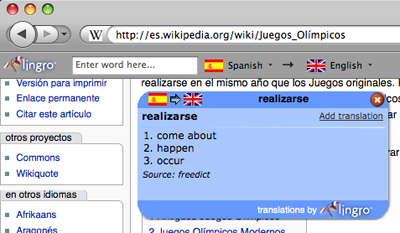
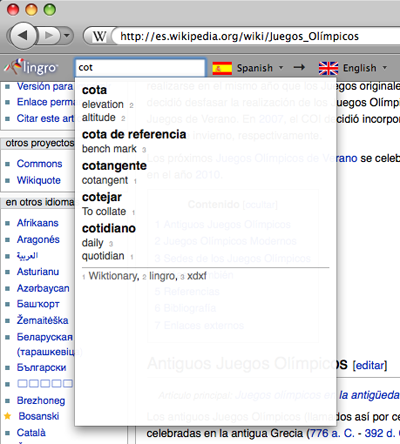
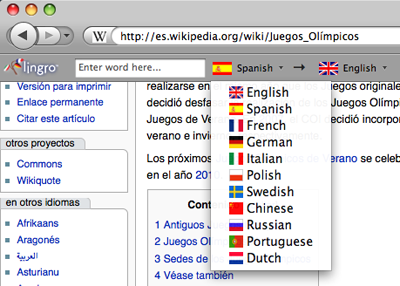
See screenshots the lingro Firefox extension in action:
The Firefox extension is especially useful for translating words on sites like Facebook which can't be viewed with the web-based version of lingro. And of course lingro will still keep track of all the words you translate so you can review your personal vocabulary history using our study tools and games.
click on a word to see an instant translation
start typing in the box on the toolbar to look up a translation
choose from 11 different languages
bookmarklets
The lingro browser tools (bookmarklets) allow you to open any site you're viewing using lingro with one click.
Once you have copied the bookmarklet to your browser, click it when you're on a page
you want to view with lingro.
(The bookmarklet doesn't work for sites that require you to log in, such as webmail. We're working on
a way around this — stay tuned!)
Firefox, Safari, & Opera
To copy the bookmarklet to your computer, drag this to your bookmarks toolbar:
| lingro this page! | quick lingro lookup! |
|
|
Internet Explorer
Right-click here
for the full-feature bookmarklet or here for the
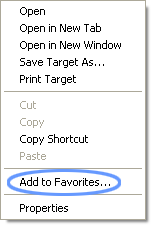
quick version and then click on "Add to Favorites..." in the drop-down menu (see below). The bookmarklet will be stored in your Favorites menu.
Drop-down menu: